
Product 001
UNEEFLOW
A guided Windows desktop app for building, evaluating and testing machine-learning models with tabular data, without requiring a code-heavy workflow.
Get on itch.io
Current release
A guided desktop workflow for practical machine learning.
- Status
- Released for Windows
- Version
- Version 1
- Platform
- Windows 10 or Windows 11, 64-bit
- Published
- 13 January 2026
- Availability
- Free, with name-your-own-price support on itch.io
8 GB or more RAM recommended
What it does
From imported data to a model you can test.
UNEEFLOW is designed for offline-first use, so imported data stays on the user's device.
- 01Import CSV, Excel or JSON datasets
- 02Generate an automated YData Profiling report
- 03Select target and input variables through a guided workflow
- 04Handle missing values and encode categorical data
- 05Train classification or regression models
- 06Review model metrics with optional LLM-generated interpretation
- 07Export trained models as .pkl files
- 08Test a model through an automatically generated prediction interface
Inside UNEEFLOW
A closer look at the current Windows release.
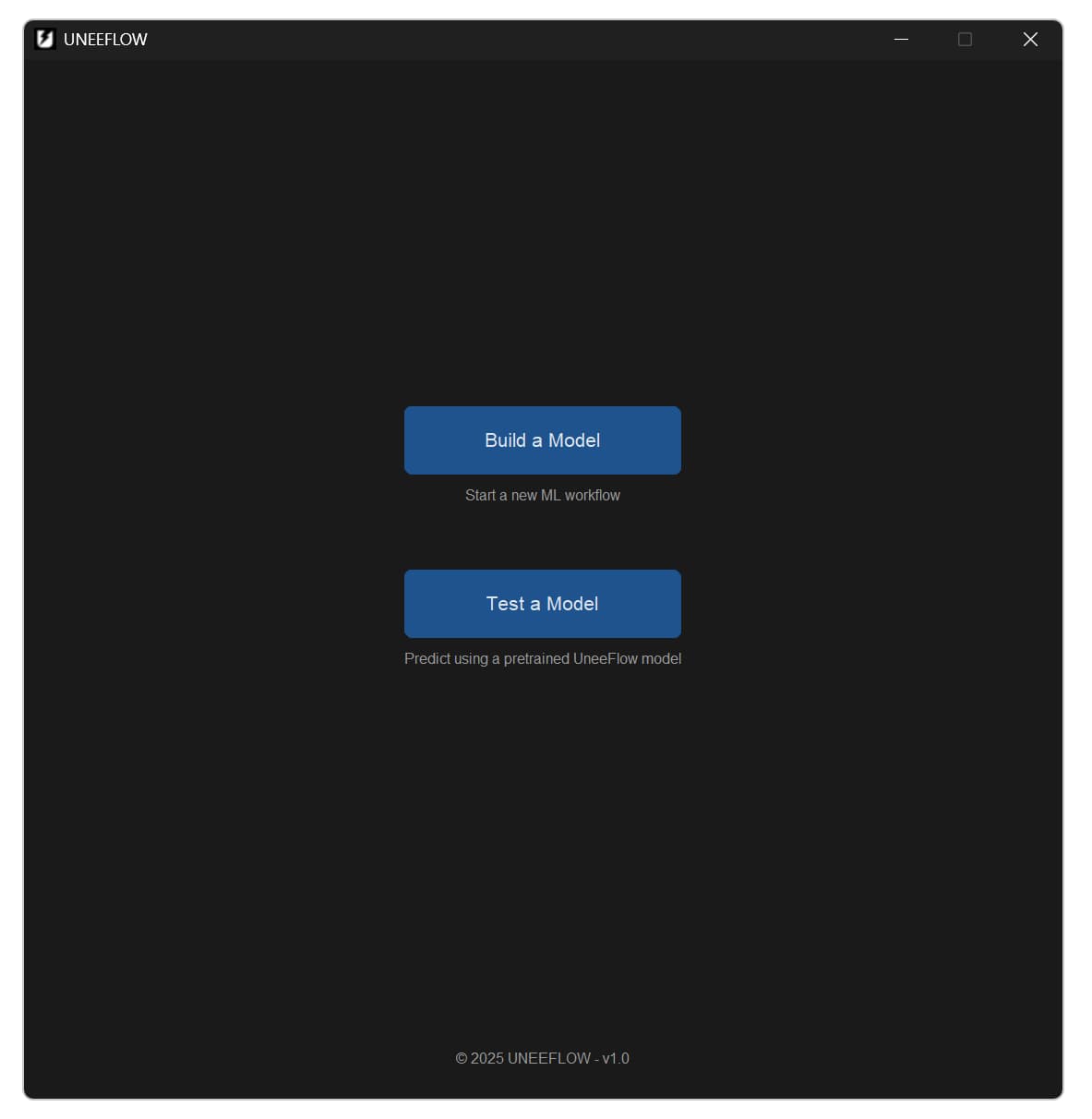
Choose whether to begin a model-building workflow or test an existing model.
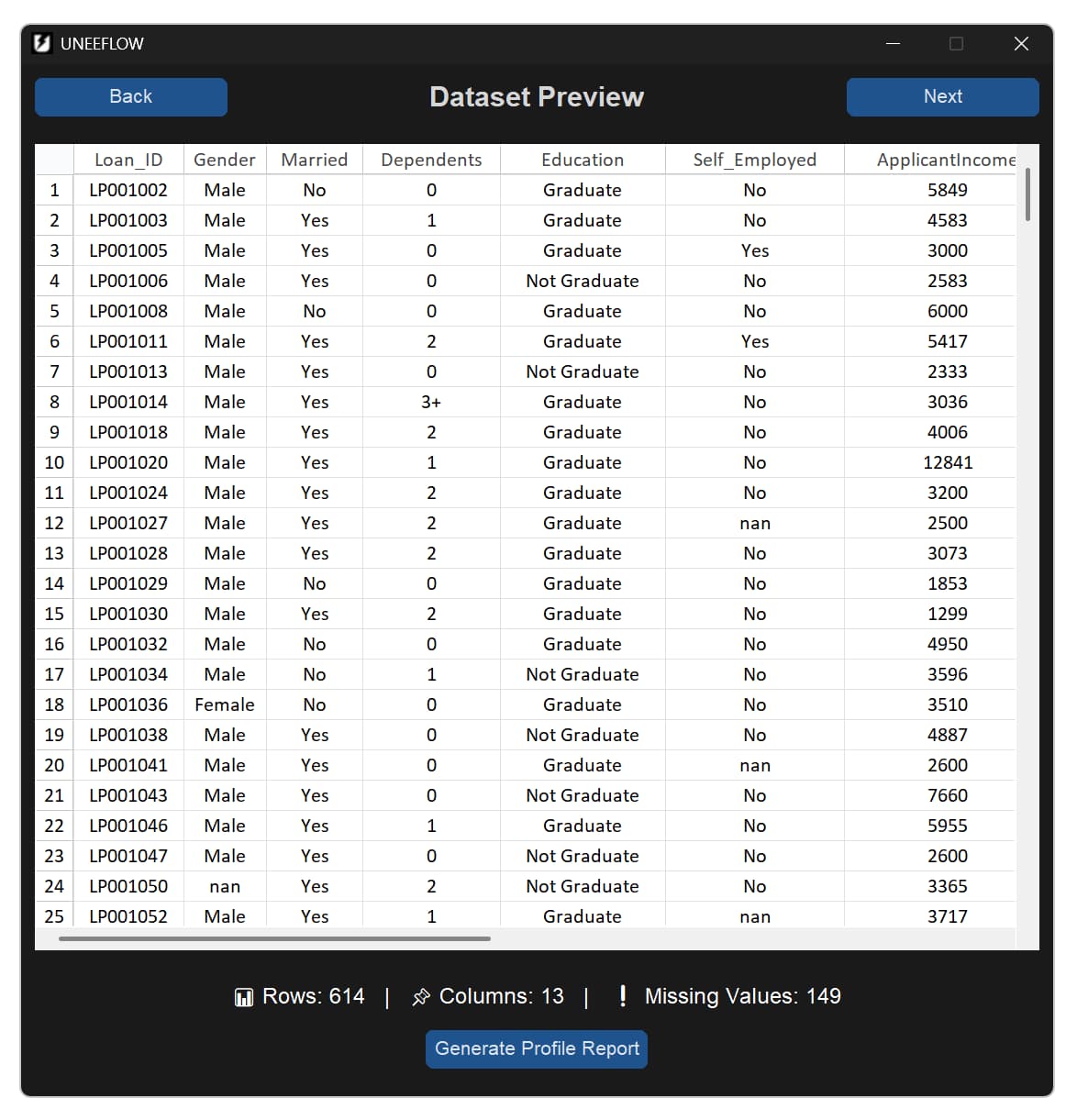
Review the dataset before configuring the model workflow.
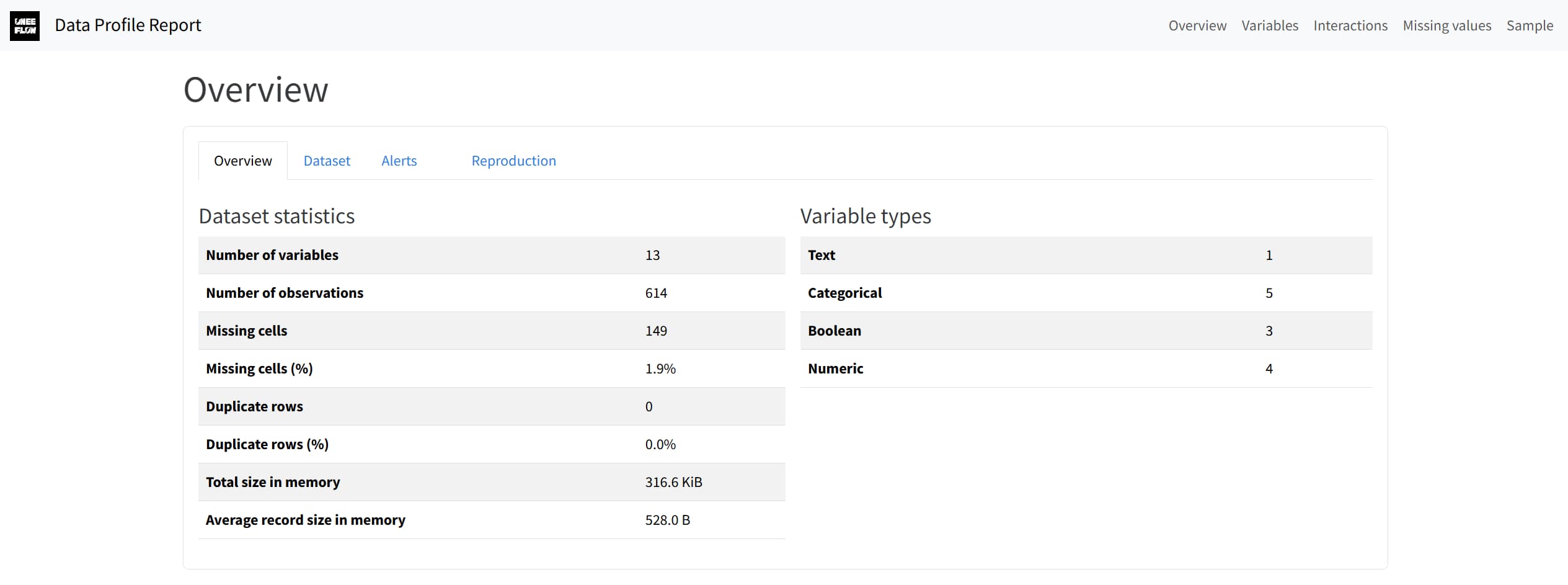
Generate a YData Profiling report for an automated view of dataset quality.
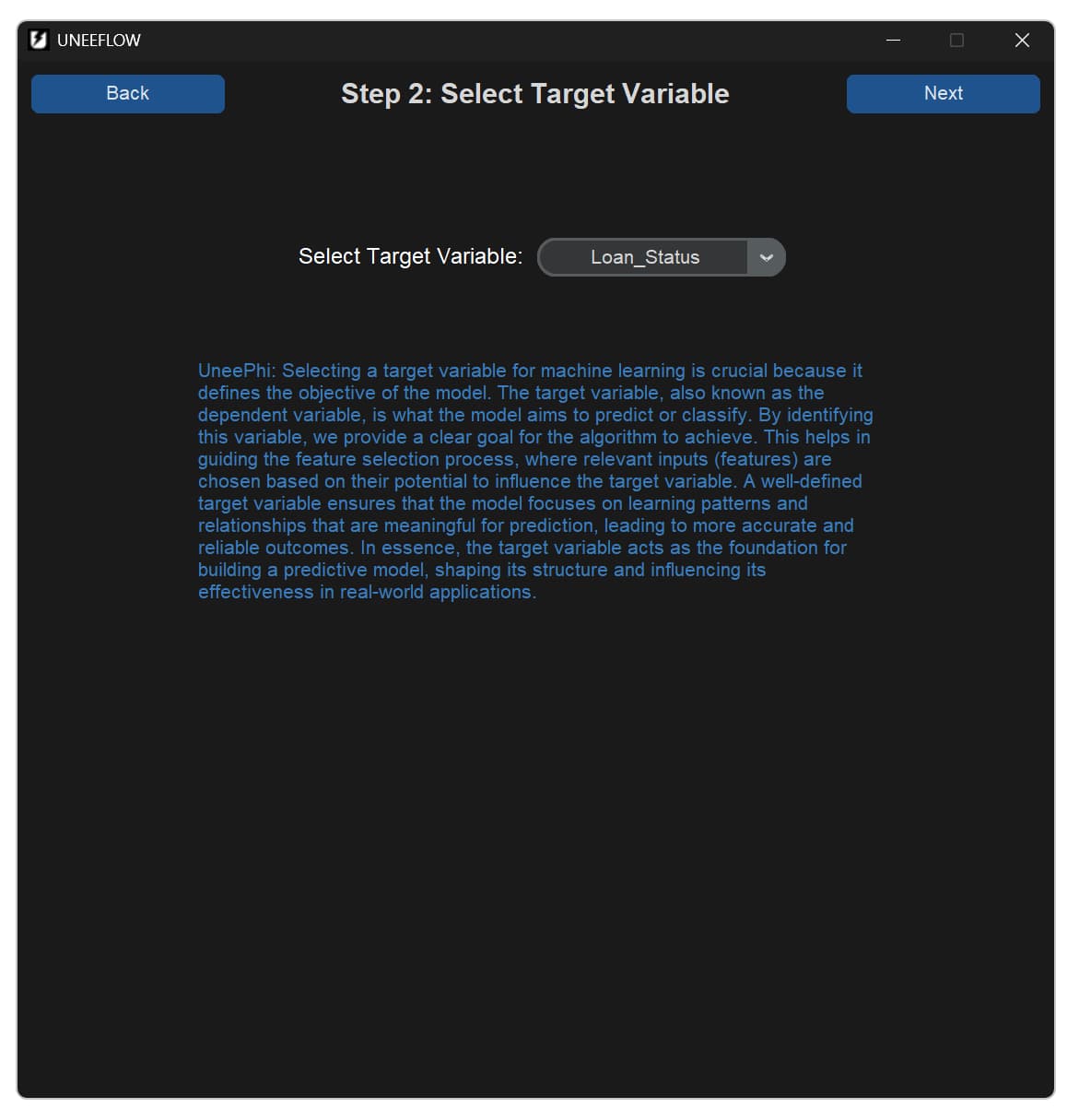
Select the variable that the model will learn to predict.
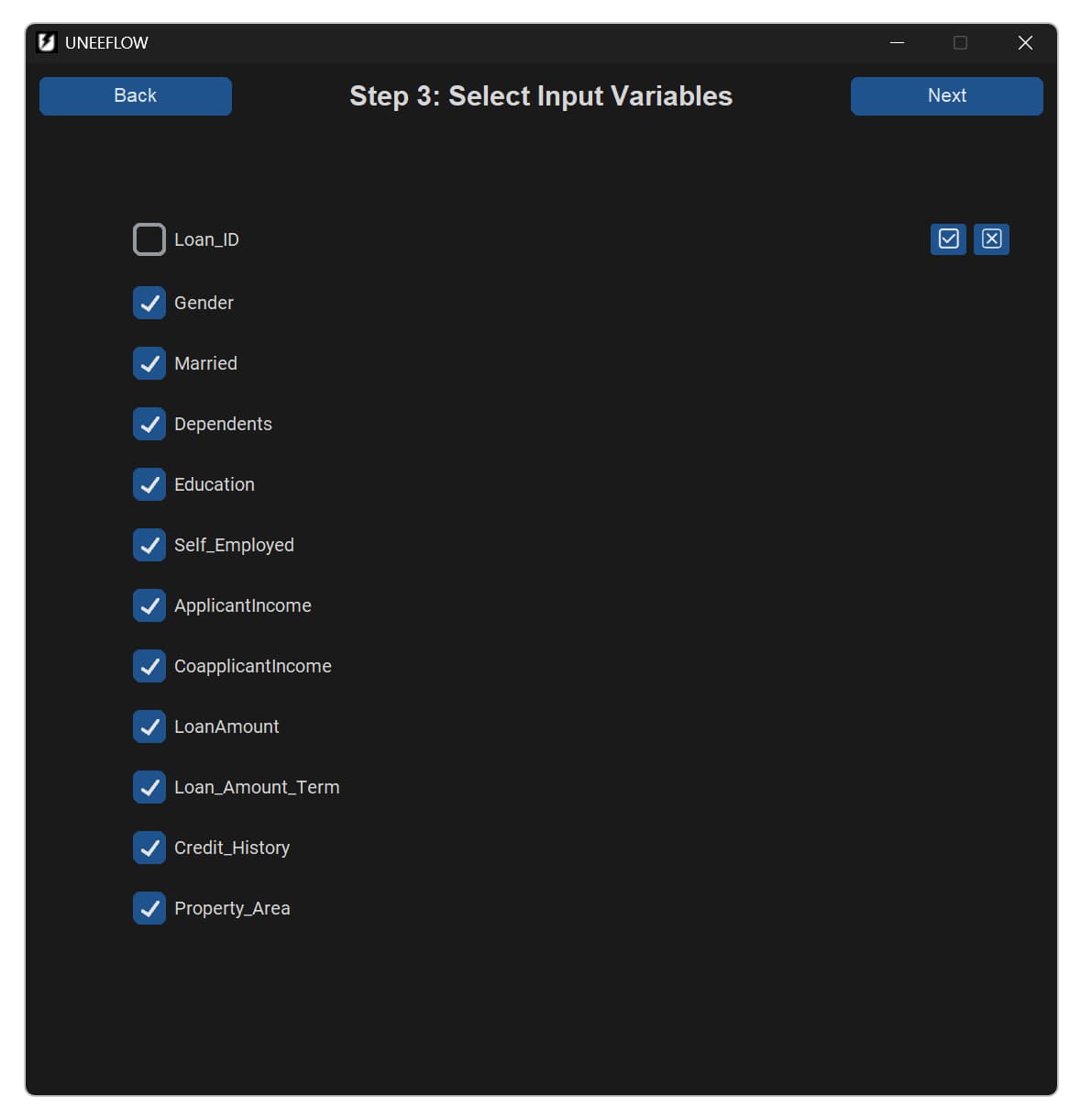
Choose the dataset columns that will be used as model inputs.
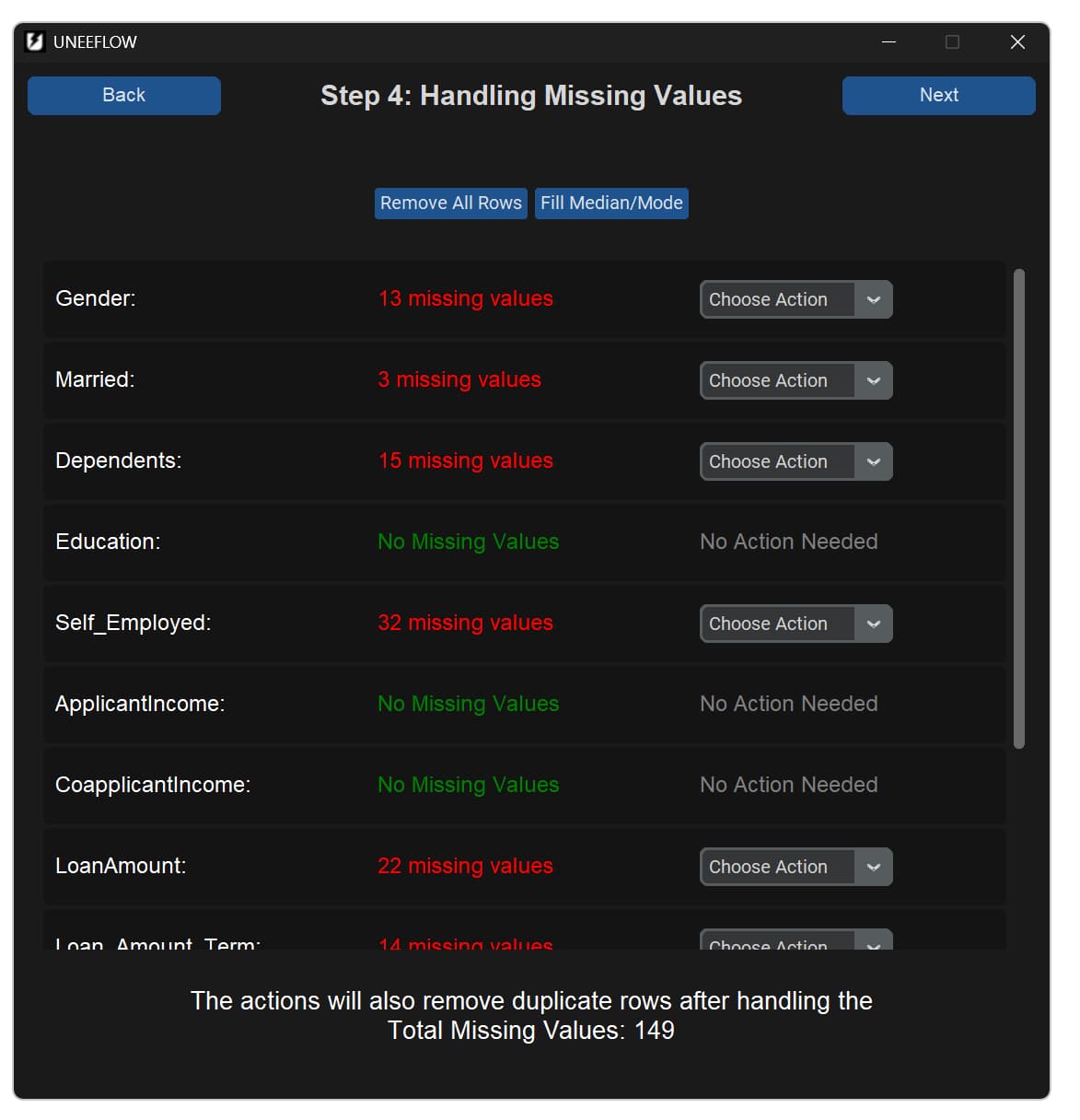
Choose how missing values should be handled for each affected column.
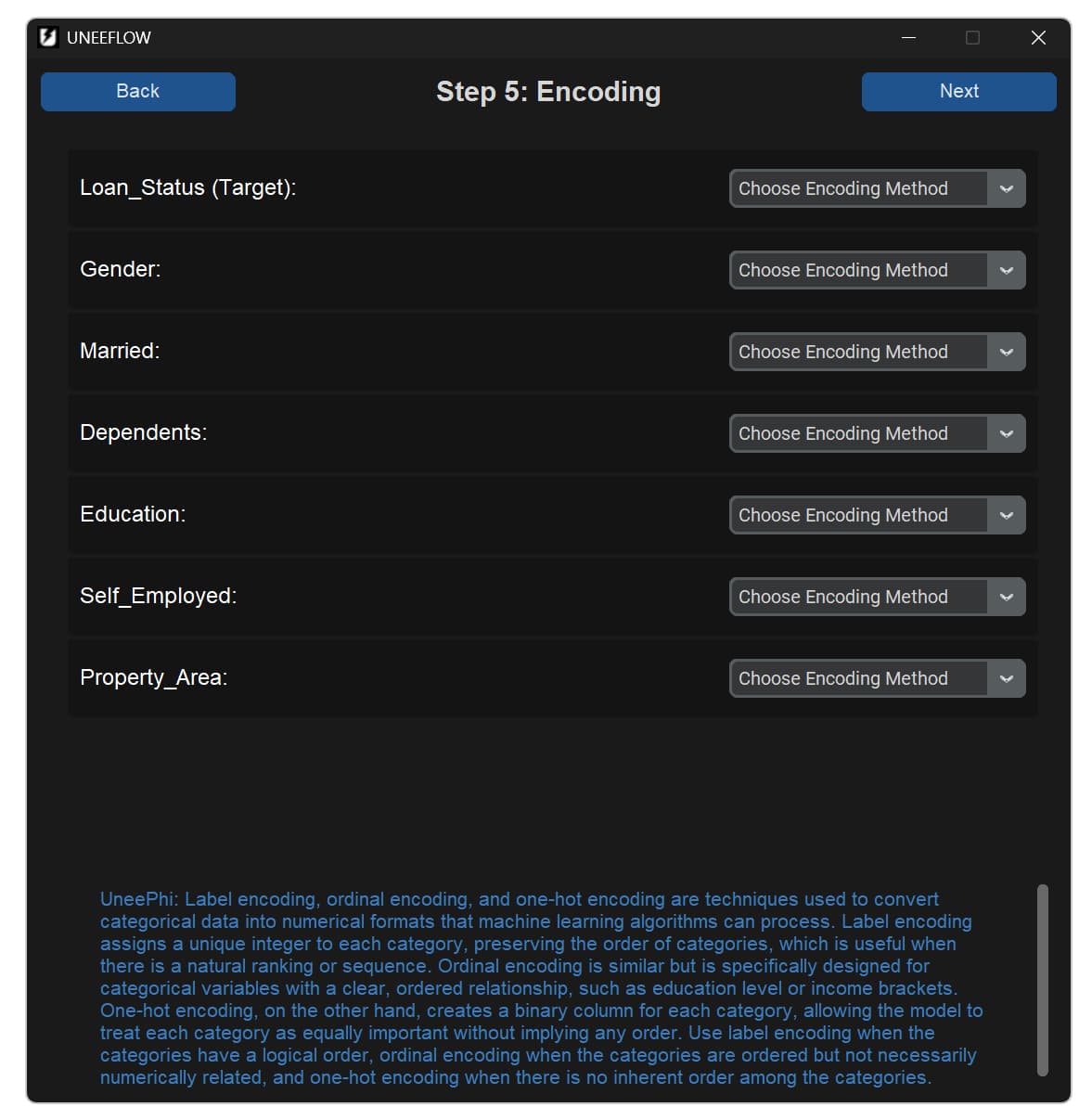
Configure categorical encoding with in-app guidance when it is needed.
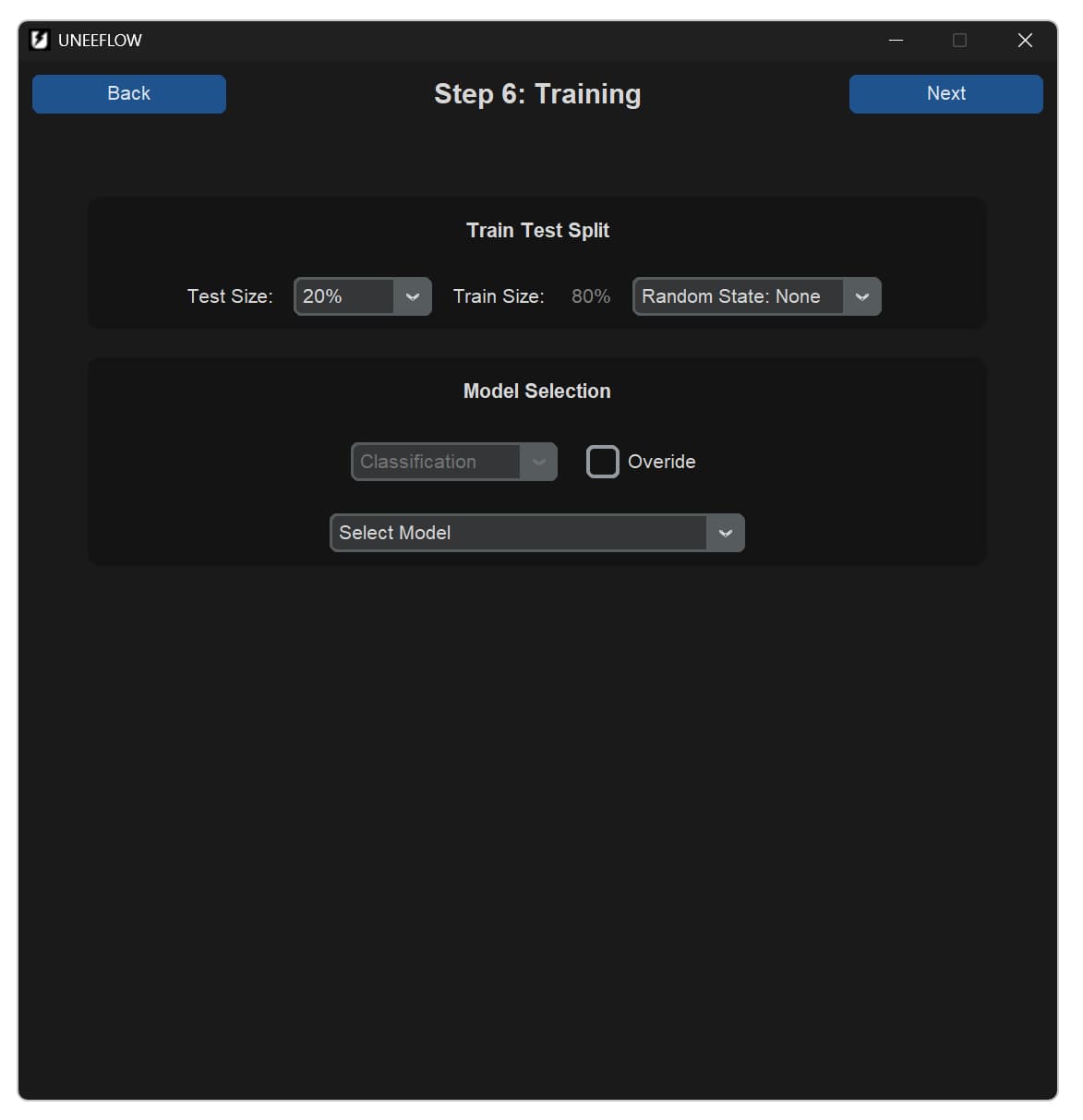
Set the train-test split and select a classification or regression model.
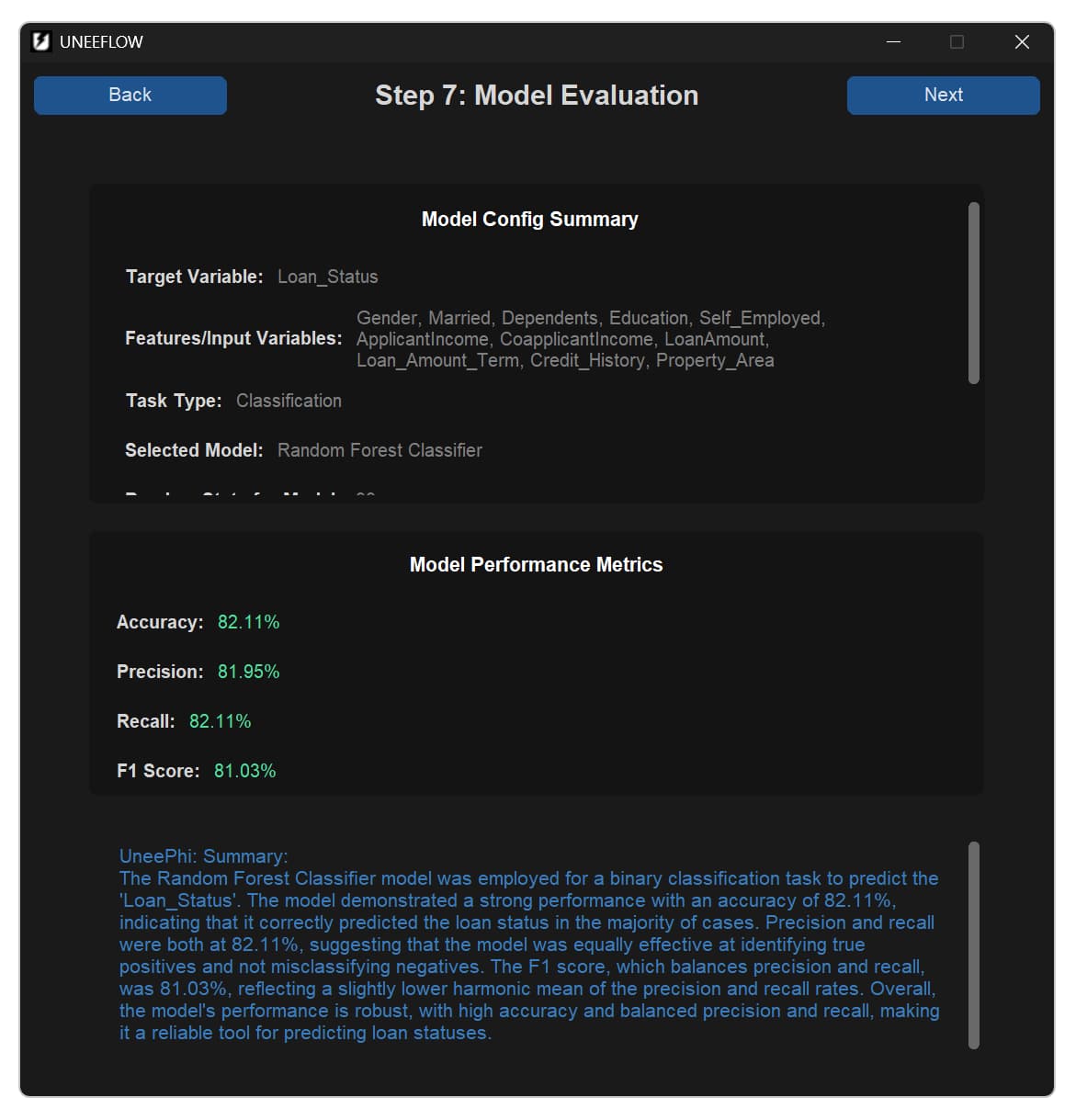
Read core evaluation metrics alongside an optional LLM-generated interpretation.
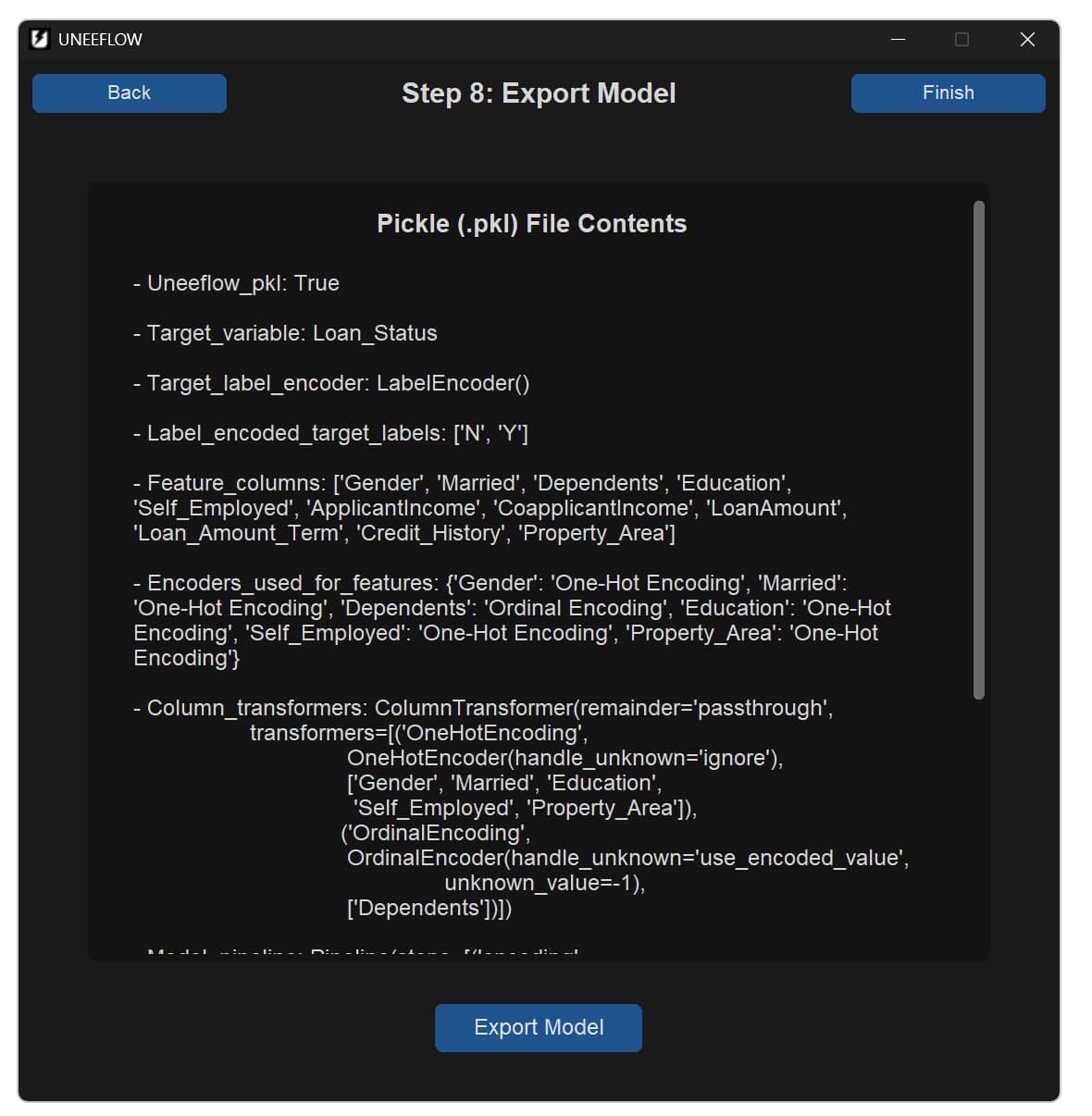
Review the model package contents before exporting the trained model as a .pkl file.
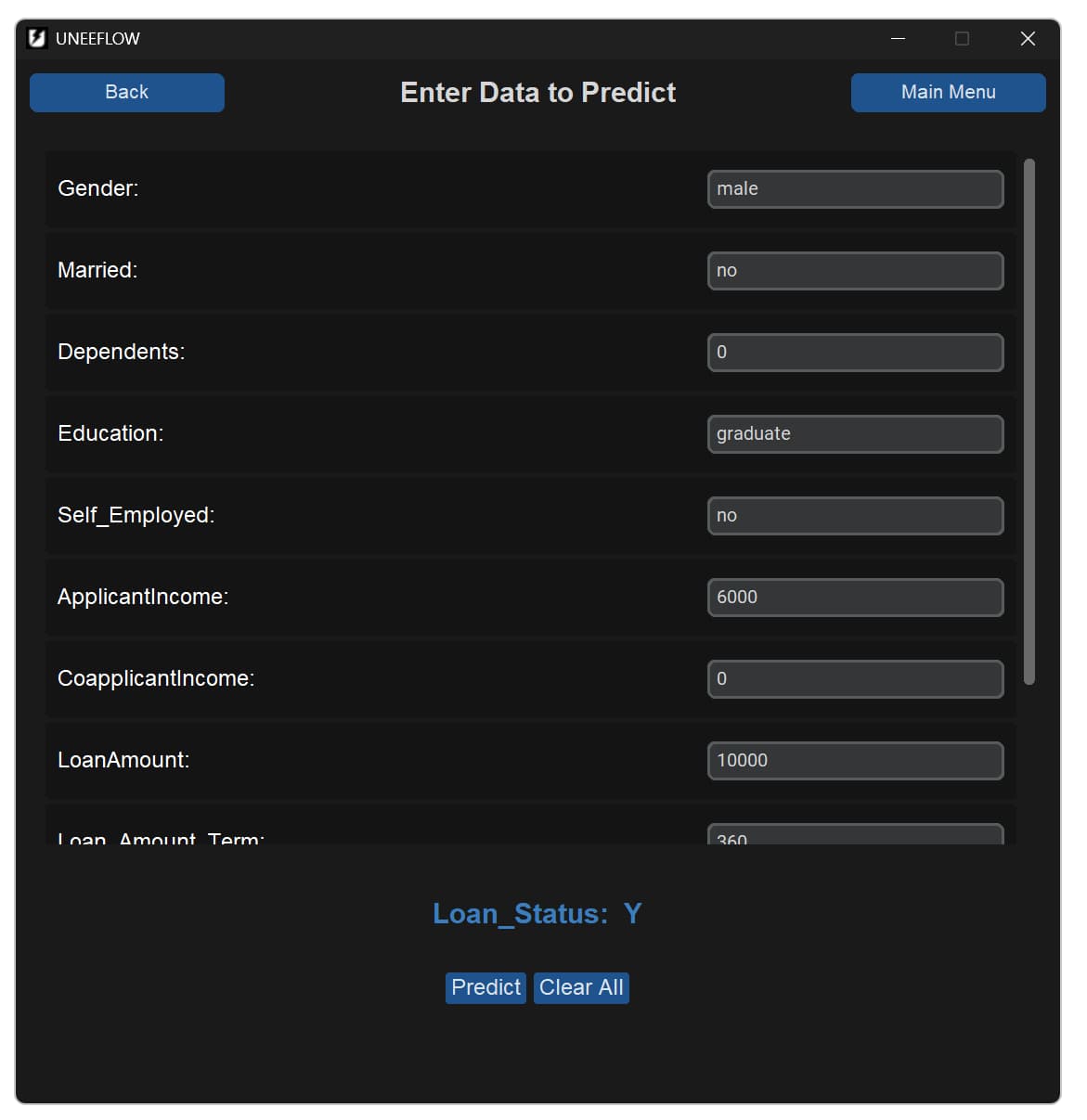
Test an exported model through a generated prediction interface.
Who it is for
A practical starting point for working with tabular data.
- Students and beginners learning practical machine learning
- Small business owners who want to work with their data
- People who want to train and test models without writing lots of code
- Users who prefer an offline workflow for privacy or convenience
By UNEEVERSE